 Manila Stack
← Blog · October 13, 2026 · DHLPTX
How to set up an affiliate review site with the Calamansi block theme
An affiliate review site lives or dies on two things: whether readers trust it, and whether they can find the product they came for quickly. Calamansi is a free WordPress block theme built for exactly that kind of site – product reviews, roundups and deal posts for shoppers on Shopee, Lazada and TikTok Shop.
This guide takes you from a fresh WordPress install to a working review site: activating the theme, setting up the homepage, writing your first review with the built-in patterns, and adding affiliate product boxes.
Availability: Calamansi is submitted to the WordPress.org theme directory and waiting for review. Until it is listed, email us for the theme zip.
Why a block theme?
Calamansi is a block theme (also called a full site editing theme). Everything – header, footer, homepage, post layout – is made of blocks and edited in WordPress's own Site Editor. You don't need a page builder, and there is no theme options panel to learn. Colours, fonts and spacing are defined in theme.json and adjustable from Styles. The theme uses no jQuery, which helps keep pages light on mobile connections.
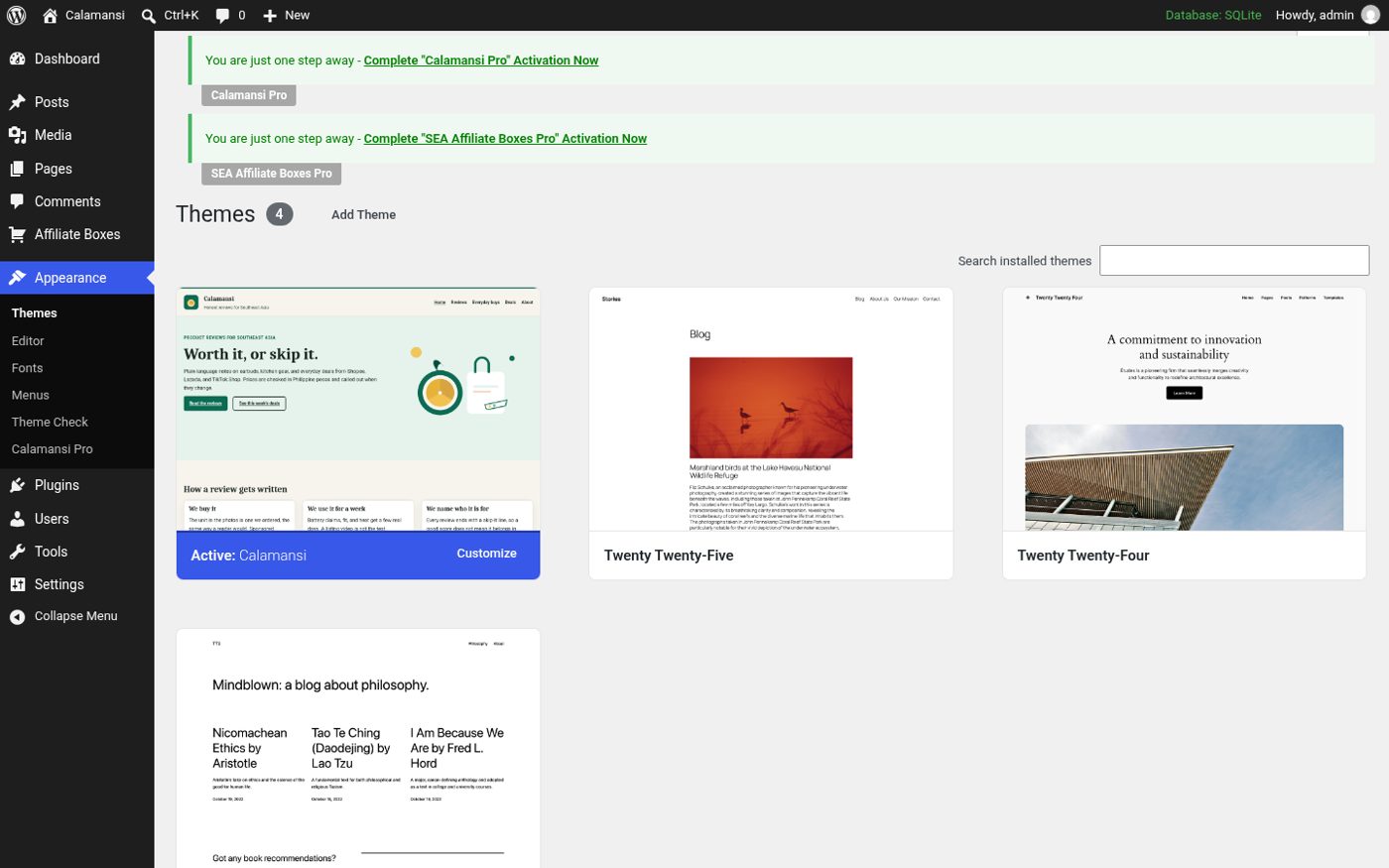
Step 1: Install and activate Calamansi
- Go to Appearance → Themes → Add New → Upload Theme.
- Upload
calamansi.zip, click Install Now, then Activate. - Open Appearance → Editor to enter the Site Editor.
Step 2: Pick a style
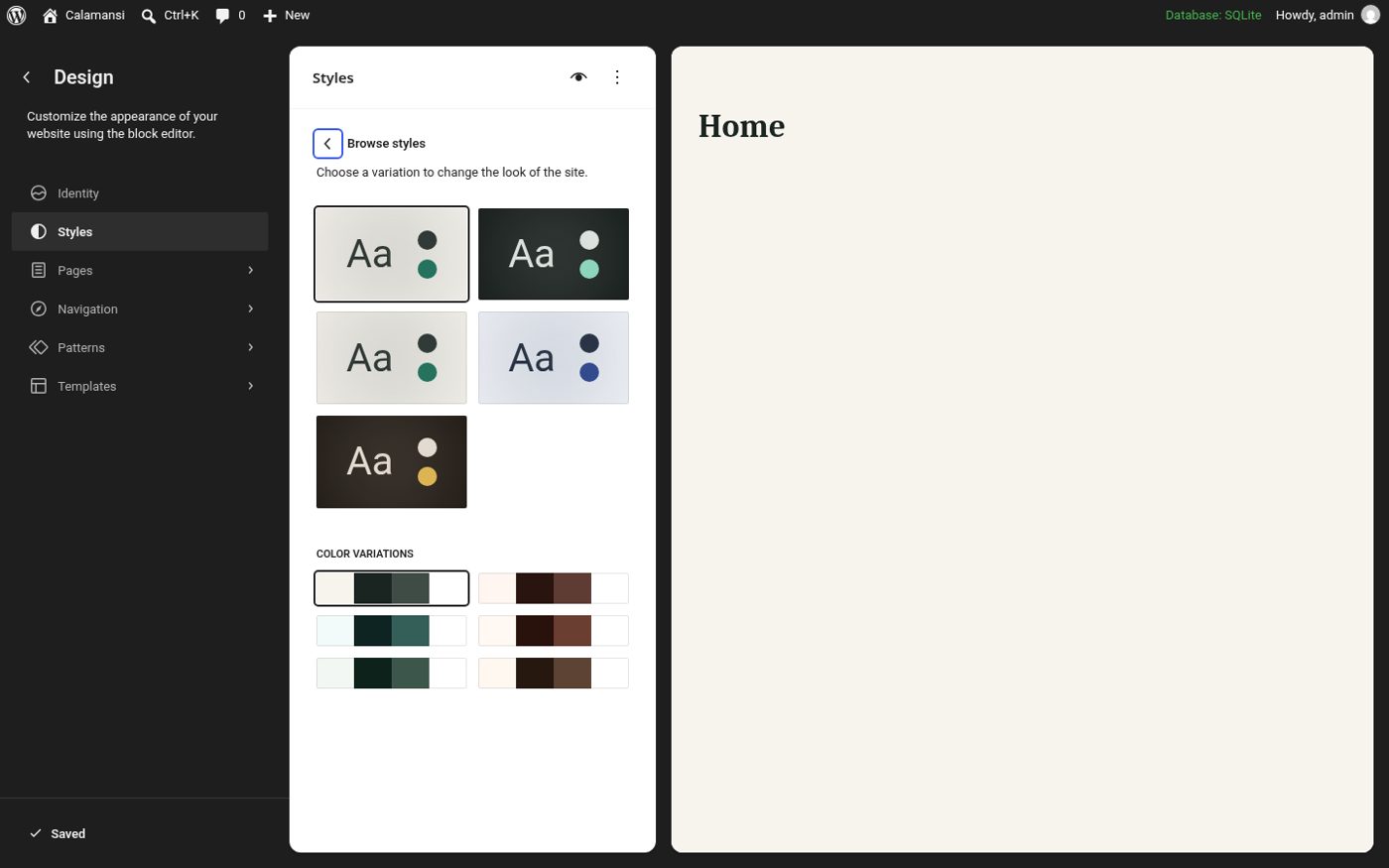
In the Site Editor, open Styles and click Browse styles. Calamansi includes four style variations: Light, Dark, Fresh and Deals. Choose one as a starting point, then fine-tune colours and typography. The colour combinations were checked for contrast, so if you stay close to the built-in palette, text stays readable.
Step 3: Set up the homepage
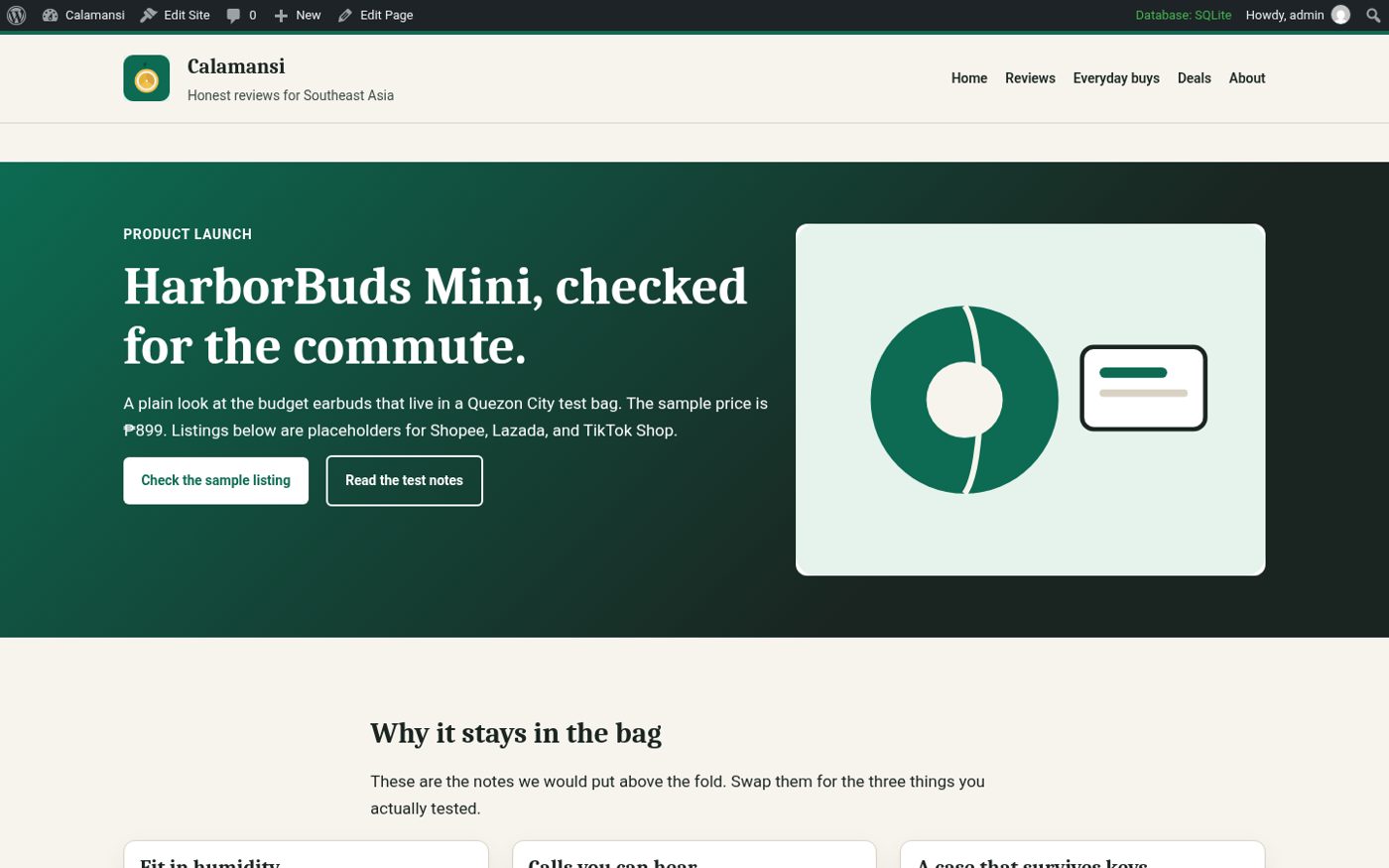
Calamansi has a front-page template that combines a hero section, a “how a review gets written” section and your latest reviews. To use it, go to Settings → Reading and set “Your homepage displays” to a static page, or leave it on latest posts and edit the template in the Site Editor.
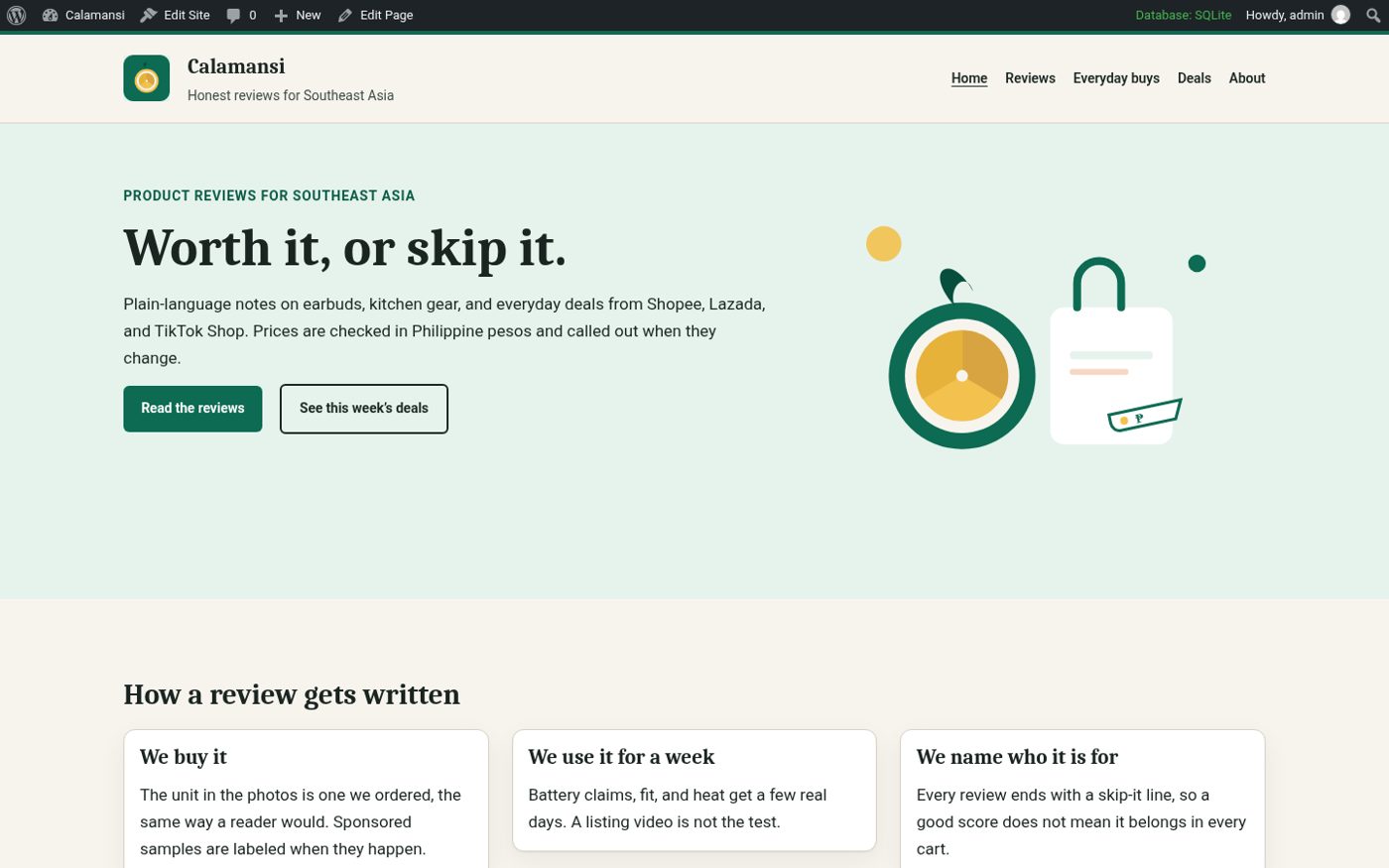
Edit the hero text to say plainly what your site does and for whom – for example “Honest reviews of budget gadgets you can buy on Shopee and Lazada.” Replace the sample buttons with links to your most important roundups.
Step 4: Build trust pages first
Before publishing reviews, create the pages readers (and affiliate programmes) look for:
- About – who writes the reviews and why. The Author box pattern helps.
- How we test – Calamansi has a How we test pattern. Describe what you actually do; don't claim lab testing you don't do.
- Affiliate disclosure – the Affiliate disclosure pattern gives you a ready block to place on posts and a dedicated page.
- Privacy policy – WordPress generates a starting draft under Settings → Privacy.
Step 5: Write your first review with patterns
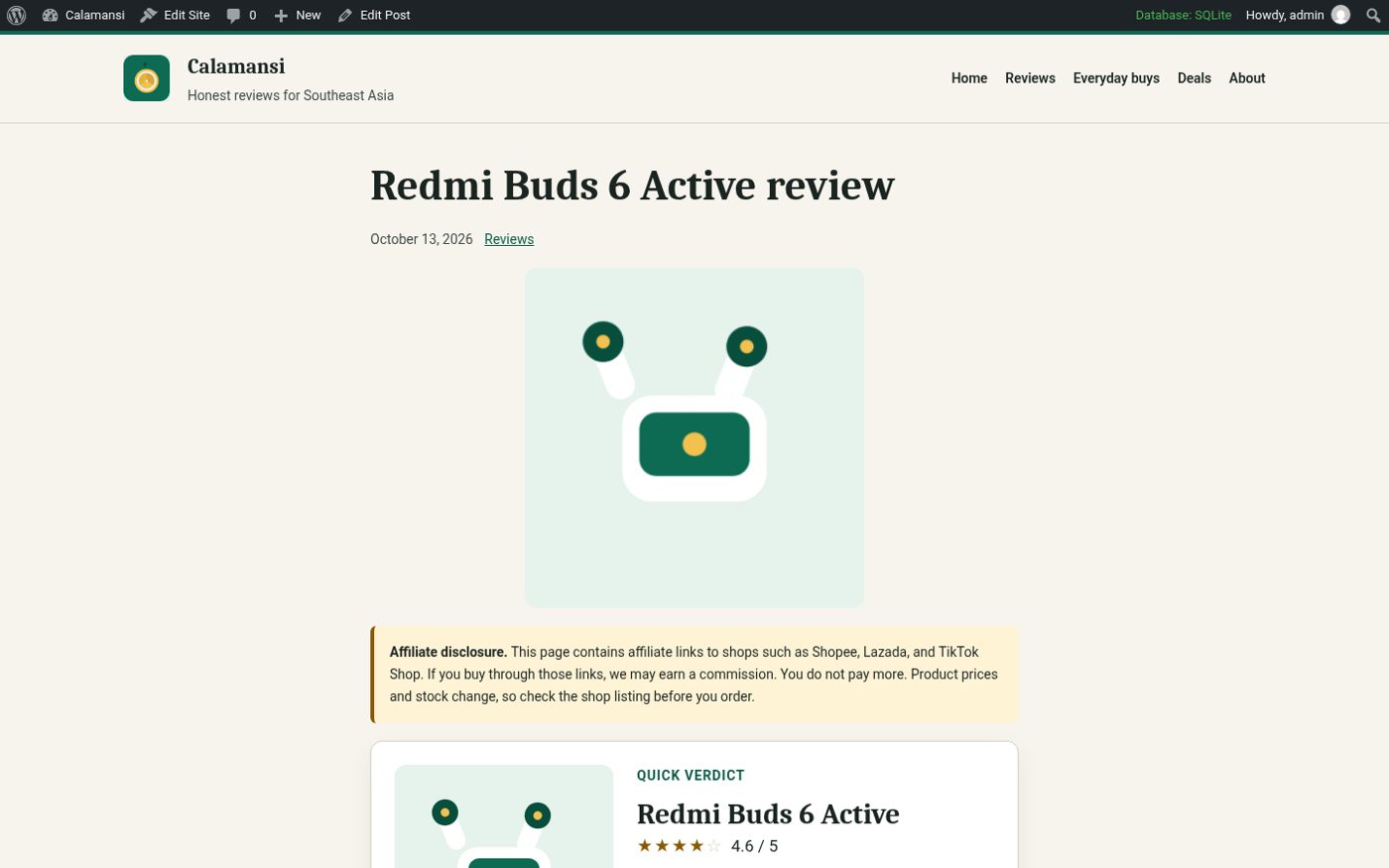
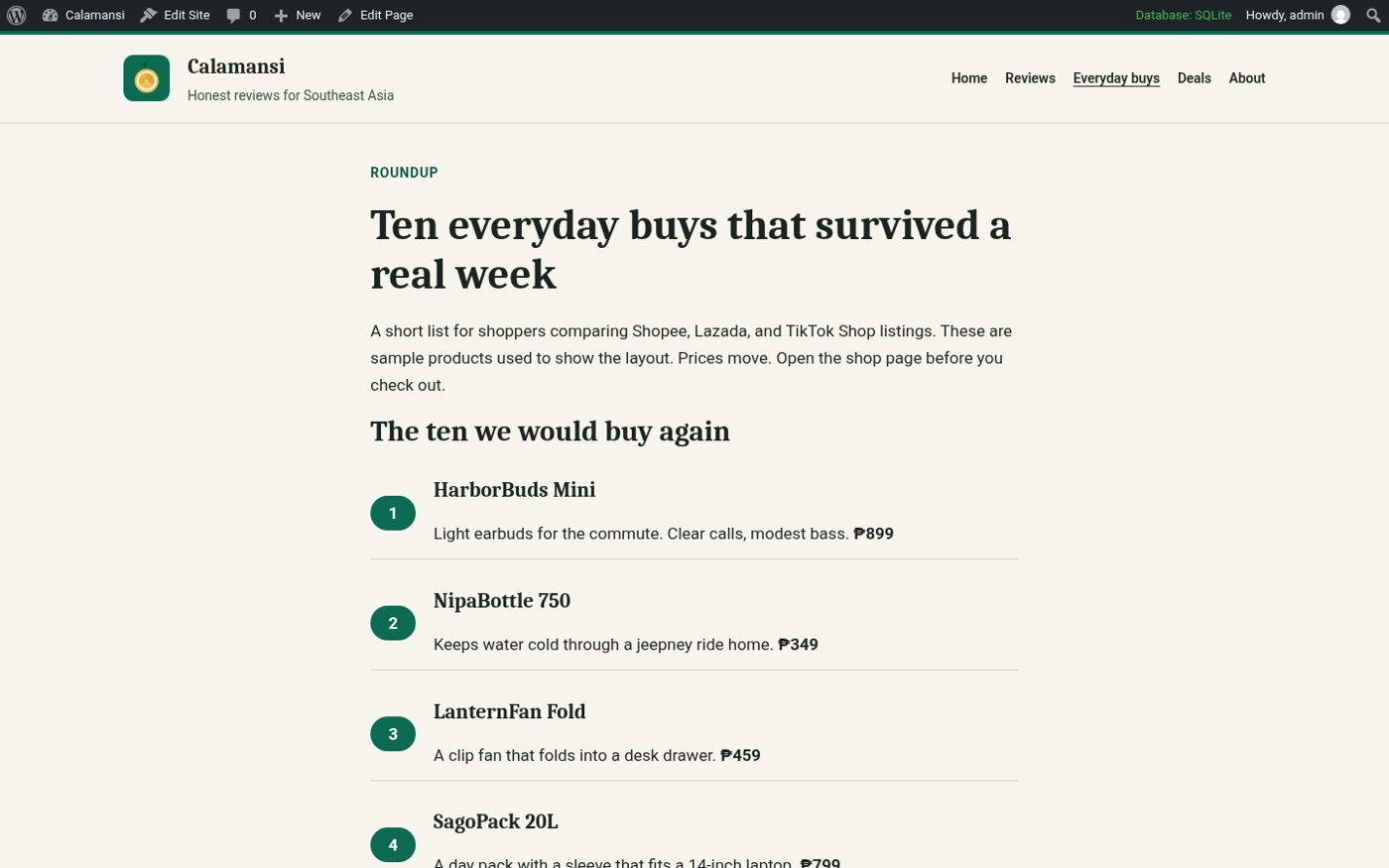
Create a new post and open the block inserter's Patterns tab. Calamansi's patterns are grouped so you can start from a full layout instead of a blank page:
- Review post and Product review – verdict, rating, specs, pros and cons.
- Top 10 roundup, Best-of listicle and Roundup page – for “best X under ₱Y” articles.
- Comparison table – a static table for quick specs.
- Deals and coupons – a grid of current deals and voucher codes.
- Newsletter call to action, Latest reviews and Posts list – for the end of articles and archive pages.
Insert a pattern, then replace the sample text and images with your own. Sample copy uses peso prices and Southeast Asian shops, so it's easy to see where your content goes.
Step 6: Add affiliate product boxes
Patterns handle the layout; for products with live buy buttons, add the free SEA Affiliate Boxes plugin. You create each product once – image, price, rating, pros and cons, and Shopee, Lazada and TikTok Shop buttons – and insert it anywhere with the SEA Affiliate Box block. Links get rel="sponsored nofollow" automatically, and you can count clicks without storing visitor IP addresses. Our product box tutorial covers it step by step.
Step 7: Organise reviews so readers can find them
- Use categories for product types (Audio, Kitchen, Home office) and keep them few.
- Add a Reviews page that lists posts with the Query Loop or the Posts list pattern.
- Put your two or three best roundups in the header navigation – they are usually your highest-traffic pages.
- Calamansi includes templates for archives, search results and a 404 page, so these work out of the box.
Step 8: SEO and speed basics
- Write titles people search for. “Best budget earbuds under ₱1,000 (2026)” beats “My earbuds list”. Put the main phrase in the post title and the first paragraph.
- Use real photos where you can. Your own photos signal hands-on experience; compress them before uploading and always fill in the alt text.
- Keep plugins lean. Calamansi ships no front-end jQuery, so every extra plugin you add has a visible effect on mobile load time. Test pages with PageSpeed Insights after adding anything new.
- Update old reviews. Prices and models change quickly on marketplaces. Revisit your top articles every few months, update prices and links, and change the date only when you changed the content.
- Link between articles. Link each single review to the roundup it appears in, and the other way round.
Want more layouts? Calamansi Pro
Calamansi Pro is a premium companion plugin for the theme. It adds:
- Premium pattern collections for landing pages, comparison pages, coupon pages, buying guides, homepages, about pages and price bands.
- Three full-page templates – Landing page, Comparison page and Coupon page – on WordPress 6.7+ (inserted as patterns on older versions).
- Five design presets: Night market, Jeepney, Mangrove, Palengke and Monsoon.
- An announcement bar and an affiliate disclosure bar as template parts.
- Matching styles for the SEA Affiliate Boxes Pro comparison table and product grid.
Calamansi Pro starts at $39/year for one site. Code LAUNCH30 takes 30% off your first payment (50 uses, until Nov 12, 2026), with a 14-day refund window.
Get Calamansi Pro with LAUNCH30 About the free theme