 Manila Stack
← Blog · October 13, 2026 · DHLPTX
How to build a top-10 comparison table for Southeast Asian affiliate reviews
“Best power bank under ₱1,500”, “Top 10 air fryers on Lazada”, “Best budget earbuds 2026” – roundup articles are some of the most-searched affiliate content in Southeast Asia. Readers landing on them want to compare quickly: what does each product cost, how is it rated, what is it good at, and where can I buy it?
A comparison table answers all four in one glance. This guide shows how to build one in WordPress with the Comparison Table block from SEA Affiliate Boxes Pro, and how to wrap it in a roundup layout with the free Calamansi theme and Calamansi Pro.
Before you start
- The free SEA Affiliate Boxes plugin installed and active. Pro is an add-on and does nothing without it. (The free plugin is live on WordPress.org.)
- SEA Affiliate Boxes Pro installed and your license activated under Affiliate Boxes → Pro. See license activation.
- Optional but recommended: the Calamansi theme with Calamansi Pro, for the page layout around the table.
Step 1: Create one box per product
The comparison table doesn't store products itself. It reads the boxes you create in the free plugin, so every product in your top 10 needs a box. That is a feature, not extra work: if the price of product #3 changes, you edit one box and every table, grid and single box that uses it updates.
For each product, go to Affiliate Boxes → Add Box and fill in the title, image, price, rating and buy buttons. Two fields matter especially for tables:
- Pros – the table's “Features” column shows them as a short list. Write two or three concrete points per product (“Quiet motor”, “USB-C”, “2-year warranty”).
- Buy buttons – each button becomes a coloured shop button in the table's last column. Add Shopee and Lazada where you can; readers often compare both.
If you sell to several countries, Pro adds a country field to each box (Philippines, Malaysia, Thailand, Vietnam, Indonesia, Singapore). A box with a country but no currency of its own is priced in that country's currency, and tables can filter by country – handy if you run one site for several markets.
Step 2: Add the Comparison Table block
Open your roundup post, click + and search for “comparison”. Insert the Comparison Table block and choose the boxes to include – up to 12 per table, which covers a top 10 with room to spare. They appear in the order you pick them, so put your #1 first.
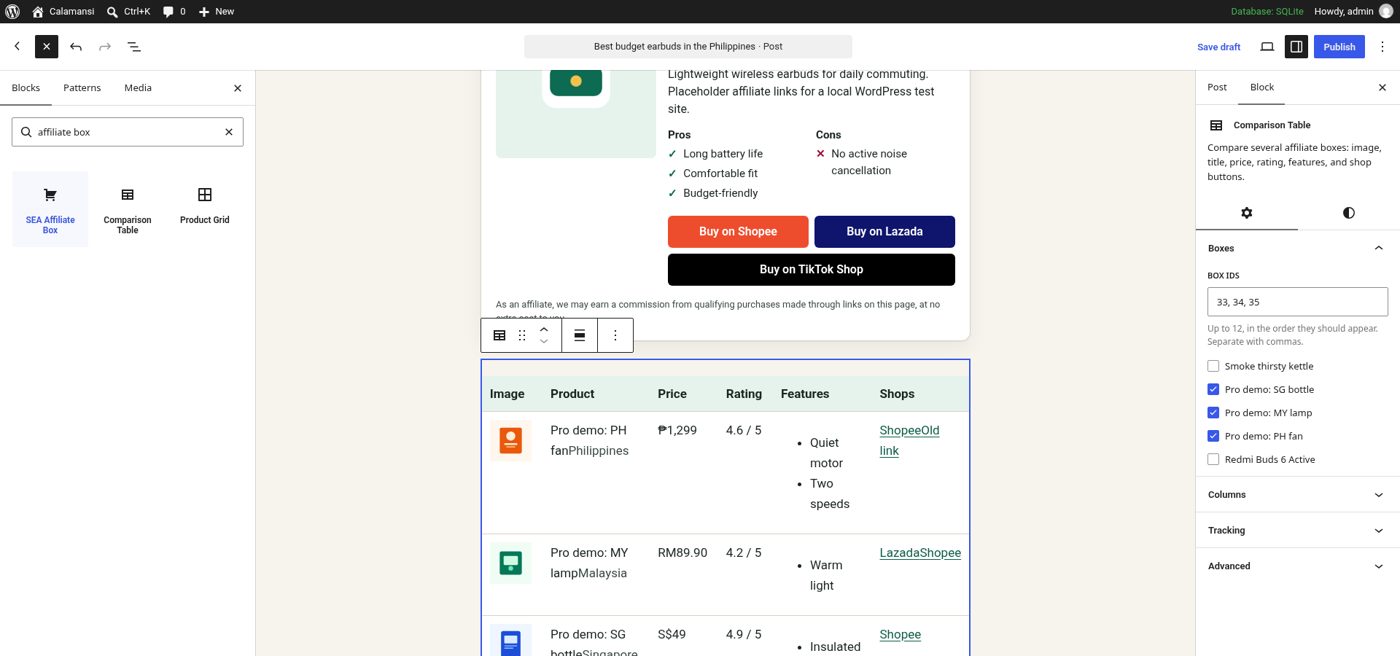
In the block settings sidebar you can:
- Choose columns: image, title, price, rating, features and shop buttons. On a phone-heavy audience, turning off one column can make the table easier to read.
- Mark a best pick. One product gets a “Best pick” badge and a highlighted row. Use it for your overall winner.
- Filter by country, so a Malaysian page shows only boxes marked for Malaysia.
- Set a sub ID. It is appended to each button so you can tell which table a click came from.
Step 3: Check the table on the front end
The table is rendered on the server as plain HTML, so it is readable by search engines and works without JavaScript. Here is what it looks like on our test site with the Calamansi theme:
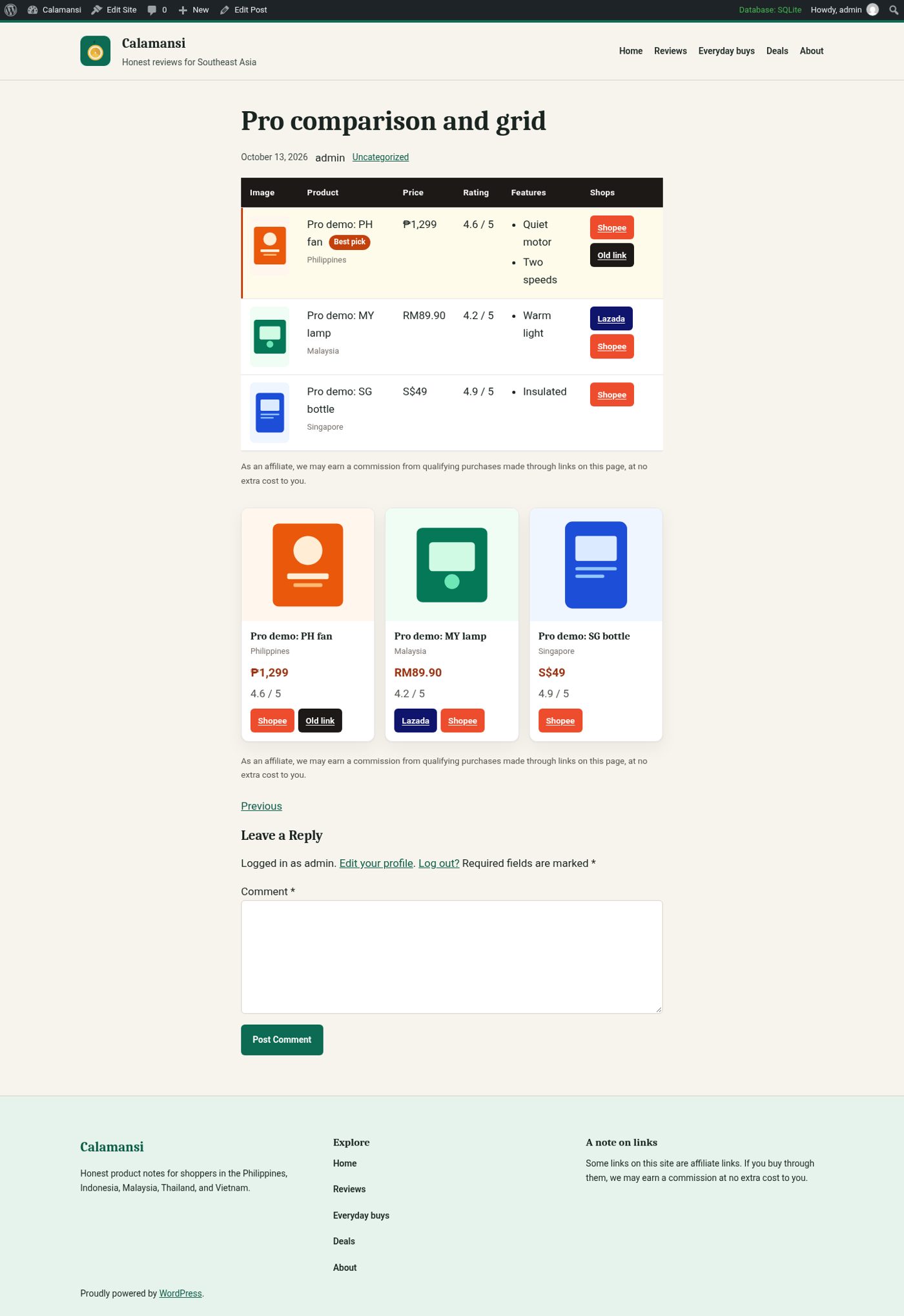
Below the table in that screenshot you can see the Product Grid block, also from Pro. It shows boxes as cards in 1–6 columns, picked by ID, by collection, or simply the latest published boxes. A common pattern is: comparison table at the top for scanners, then a detailed section per product, then a grid of “other products we tested”.
Step 4: Build the roundup layout around it
A table on its own is not a great article. Readers – and search engines – also want to know how you chose the products and who each one is for. The free Calamansi theme ships with patterns for exactly this: Top 10 roundup, Best-of listicle, Comparison table (a static version), How we test and Affiliate disclosure. Insert them from the block inserter's Patterns tab.
Calamansi Pro adds a full comparison page template plus patterns for a comparison intro, scores, a verdict and a “where to buy” shop section. On WordPress 6.7 or newer, choose the Comparison page template from the page's template setting; on older versions, insert the same layout as patterns.
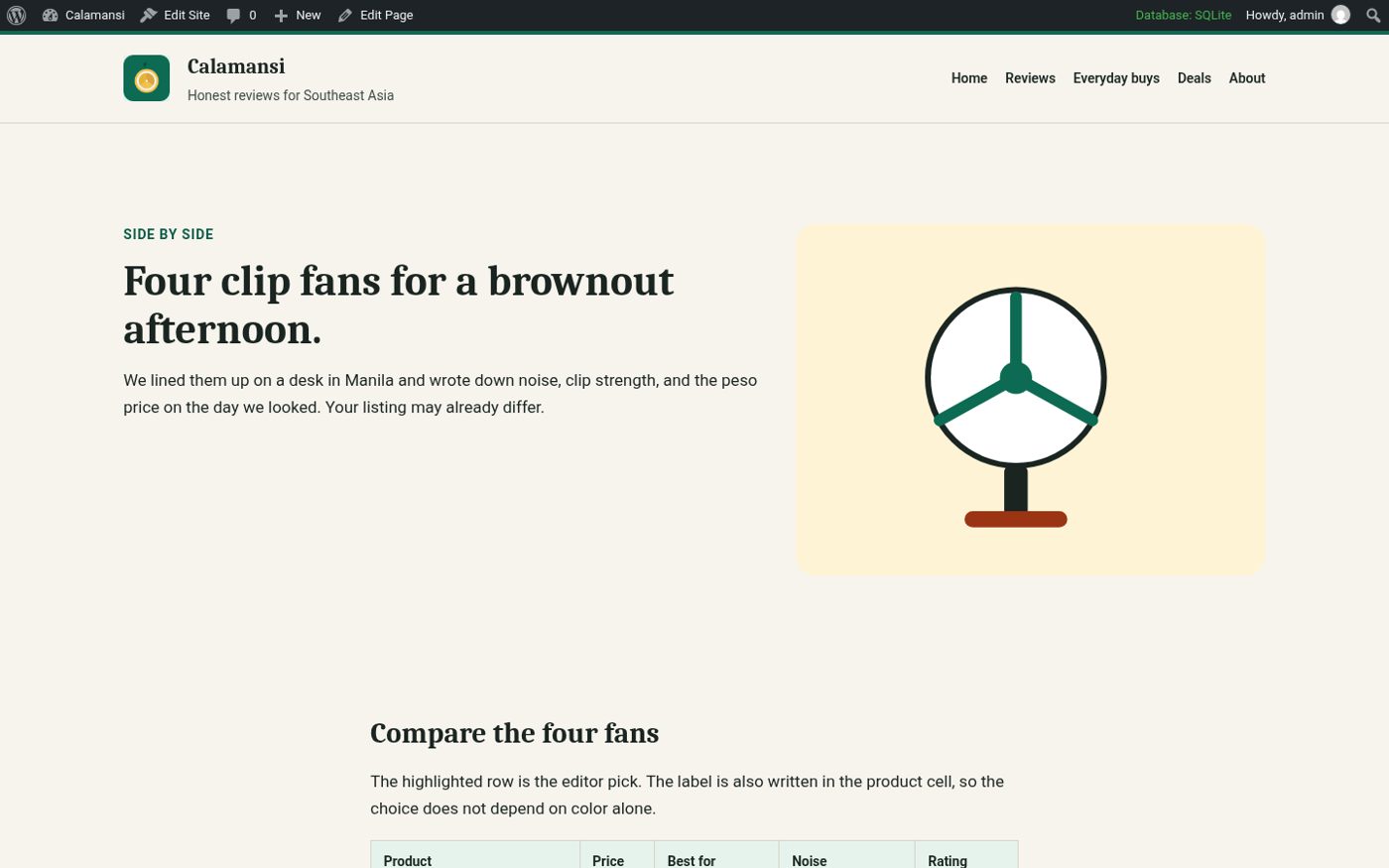
When Calamansi Pro is active, it also styles the SEA Affiliate Boxes Pro table and grid with your theme's colours, so they look like part of the page rather than a third-party widget. The CSS loads only on pages where those blocks appear.
A structure that works for top-10 articles
- Short intro – who the list is for and your budget range.
- Comparison table with your best pick highlighted.
- How we chose / how we test – a few honest sentences on what you actually did.
- One section per product – a single SEA Affiliate Box plus two or three paragraphs.
- Buying guide – what to look for, common mistakes.
- FAQ and disclosure.
Keep prices and links fresh
Marketplace prices change daily and listings disappear. Two Pro tools help:
- Scheduled Shopee price refresh Beta updates price, image and rating for boxes that have a Shopee URL, on an interval and batch size you choose, with a “Run now” button. It needs Shopee Affiliate Open API credentials and has not yet been verified against a live Shopee account, so check a few boxes after the first run.
- Broken-link scanner checks every affiliate URL on a schedule or on demand. When a listing is gone, Replace swaps the URL on every box that uses it.
Then use Analytics (clicks per day, per post and per sub ID) to see which tables actually get clicks, and refresh those first.
Get started
SEA Affiliate Boxes Pro starts at $49/year for one site; Calamansi Pro at $39/year. With code LAUNCH30 you get 30% off your first payment (50 uses per product, until Nov 12, 2026), and both come with a 14-day refund window.
Get Boxes Pro with LAUNCH30 Get Calamansi Pro with LAUNCH30